
Deals & lead scoring
Find your next sale
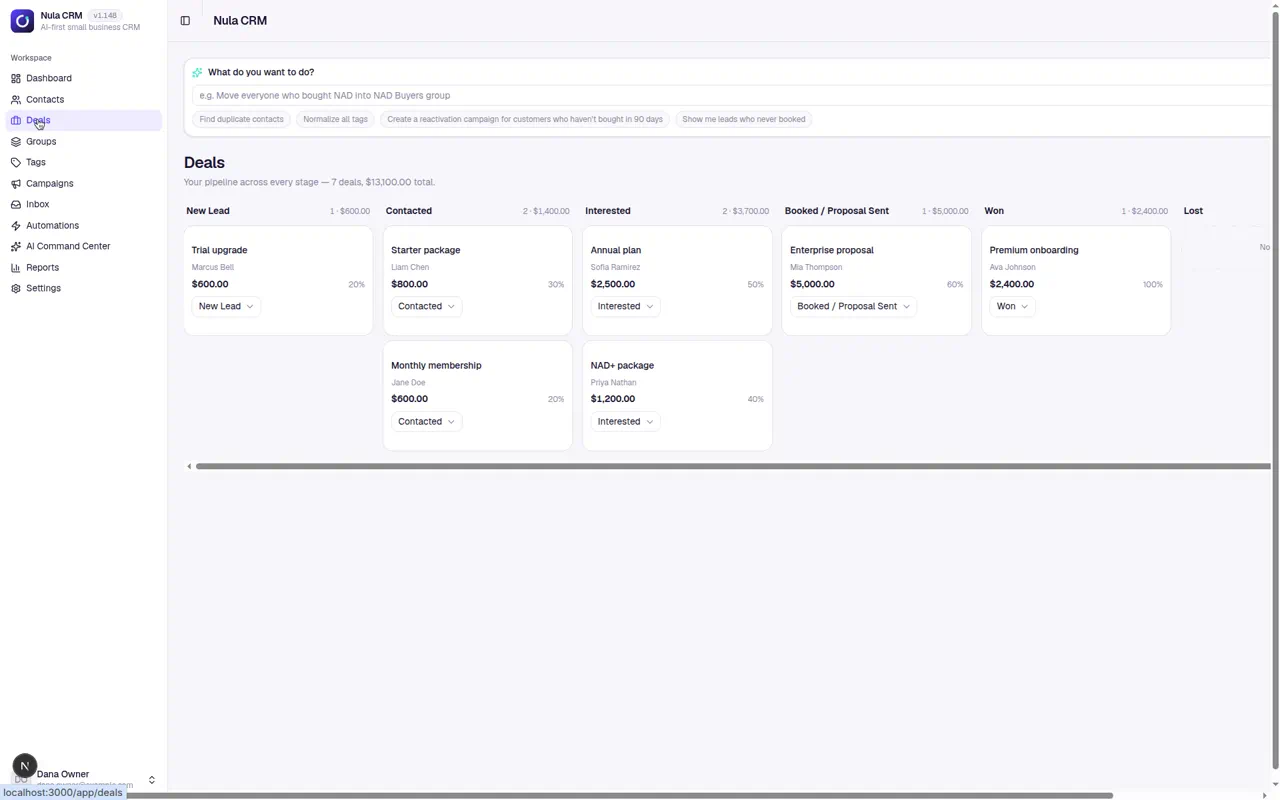
See who’s new, who needs a reply, and where every deal stands. Nula scores and summarizes new leads so you can prioritize your next call.
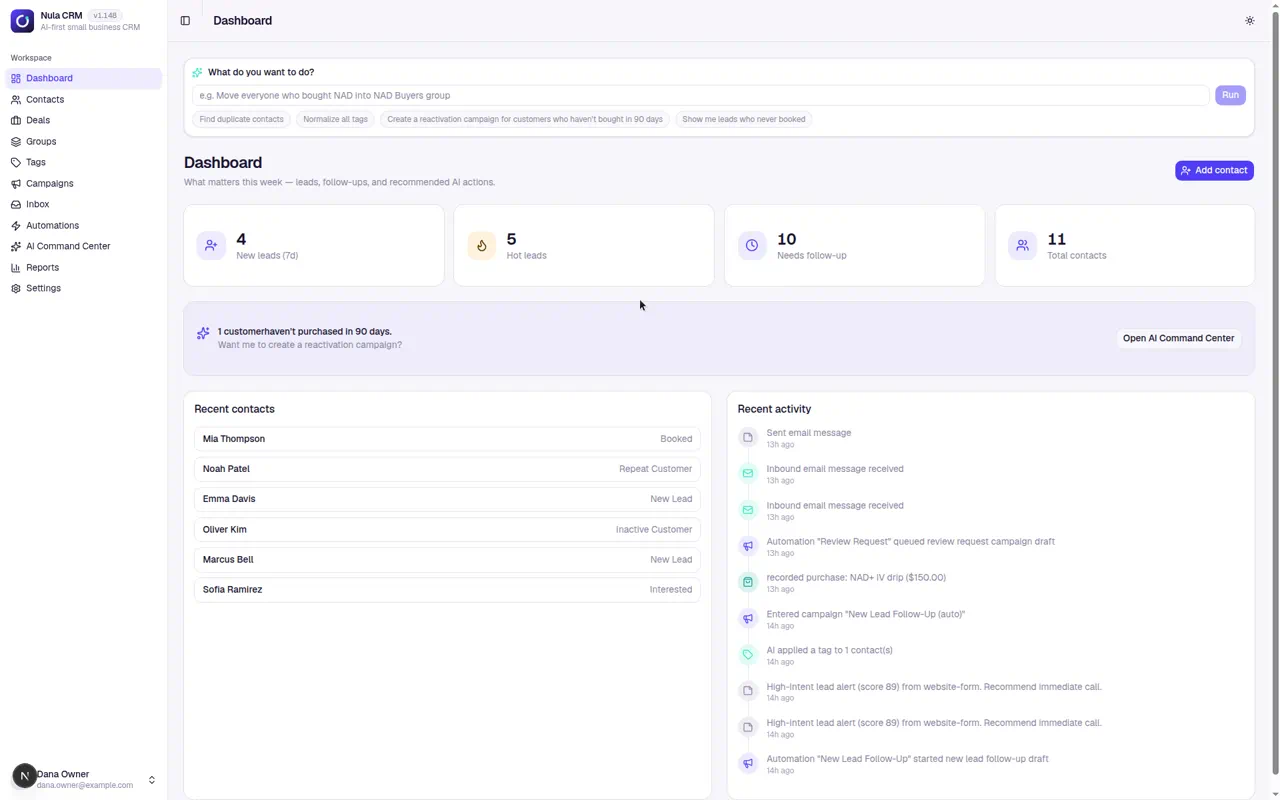
Nula is a CRM for small teams. Ask in plain English to organize contacts, follow up with leads, or draft a campaign. You review what Nula proposes before it runs.
7 days free. No credit card required.
How the AI works
Use the command bar to build segments, find duplicate contacts, and draft follow-ups. Preview changes, approve them when you’re ready, and undo supported actions from the activity history.
Example request
“Find customers who haven’t bought in three months and draft a short email inviting them back.”
Nula prepares a segment and an email draft for you to review and edit.
Deals & lead scoring
See who’s new, who needs a reply, and where every deal stands. Nula scores and summarizes new leads so you can prioritize your next call.
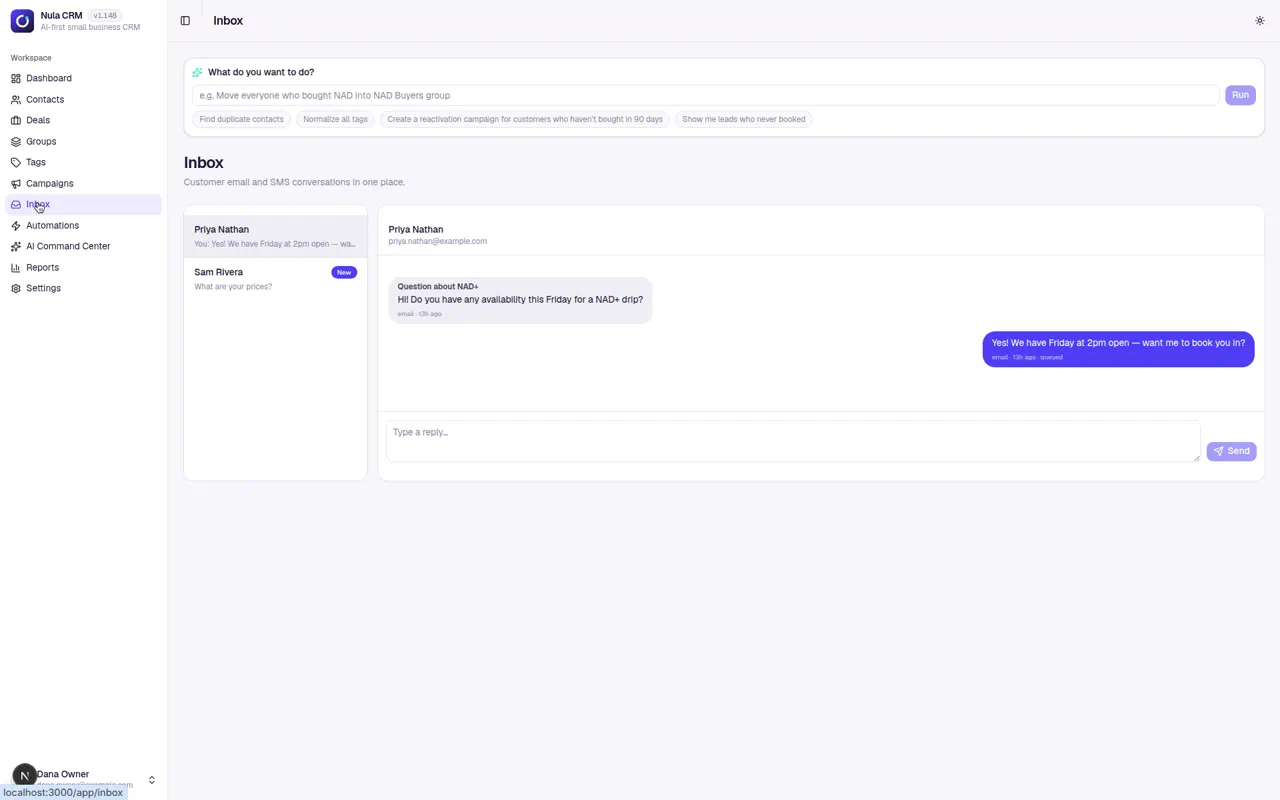
Unified inbox
Read and reply to email and SMS in one inbox. Keep the conversation with the contact so your team can see what’s already been said.
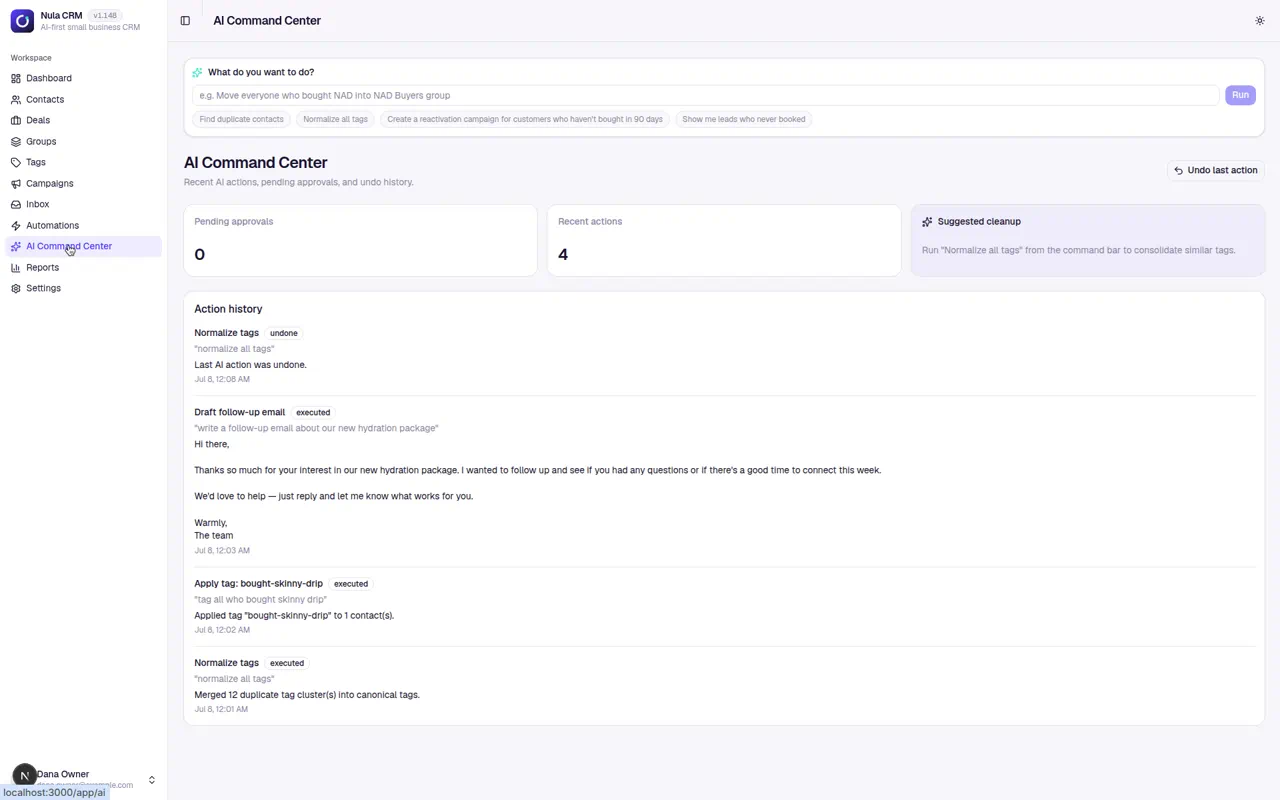
AI Command Center
Ask Nula to find people who haven’t bought recently and draft a win-back campaign. Review the audience and message before you send.
Reports
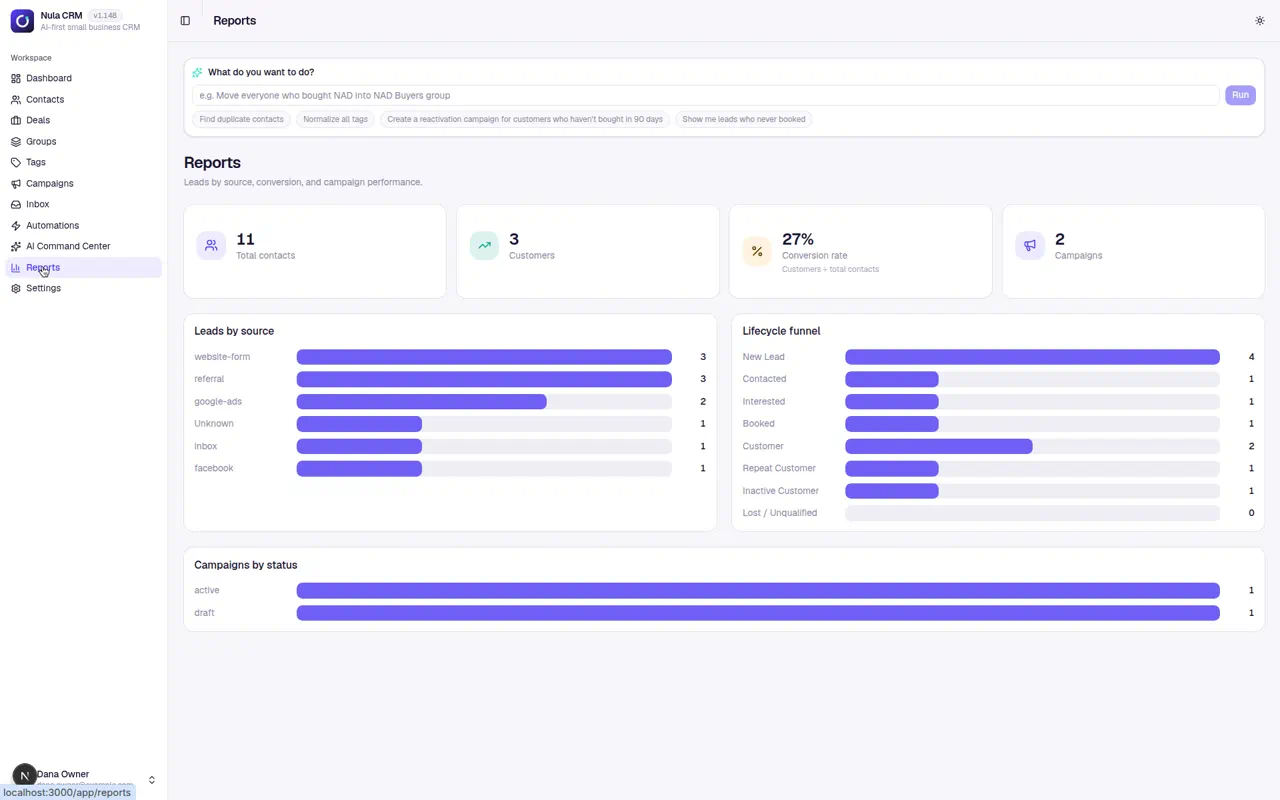
Compare lead sources and see how contacts move through your sales funnel. Track campaign performance from the same workspace.
Optional add-on
Add company and role details to a lead, see a fit score, and use a suggested next step to decide who to contact first.
Explore B2B Intelligence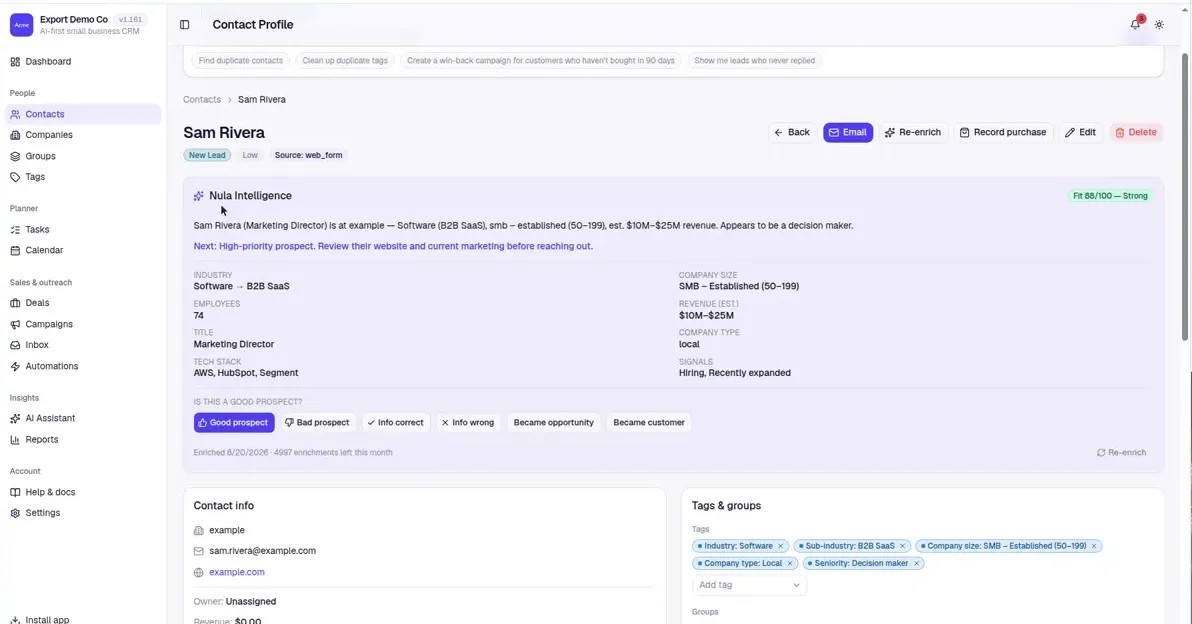
Start a seven-day trial to explore the CRM and AI tools. If you’d like help connecting it to your website or follow-up process, Versus can help with setup.
Free website scorecard
Drop your URL and we'll grade your site on search visibility, speed, mobile, lead capture, AI search readiness, and trust. You get a plain-English scorecard with the fixes that matter most.